


What is LintKit?
LintKit is a Figma plugin that scans your design files for inconsistencies and helps you fix them. It checks 24 rules across styles, layout, cleanup, components, values, and accessibility — then shows you exactly what’s wrong and how to fix it.Install and run your first scan
Get LintKit running and scan a file in under a minute.
Configure for your design system
Set spacing scales, radii, color tolerances, and more.
Browse all 24 rules
Understand what LintKit checks and how each rule works.
Connect design tokens
Auto-configure rules from Tokens Studio or GitHub.
How it works
1
Scan
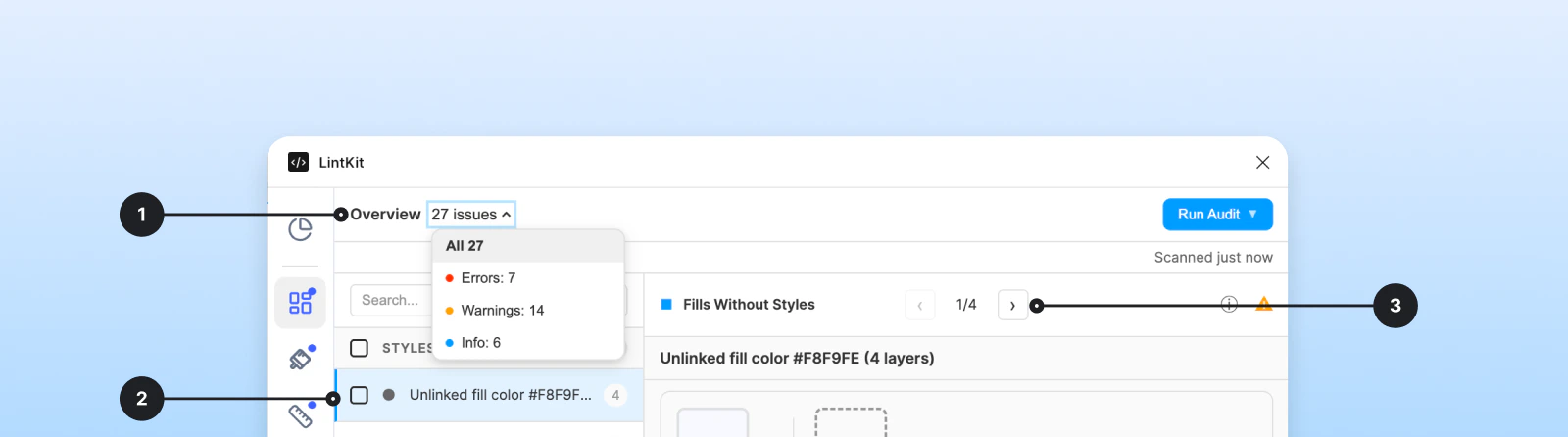
Open LintKit in any Figma file. It scans the current page automatically and groups findings by rule — orphaned styles, spacing violations, broken variables, accessibility failures, and more.
2
Review
Click any finding to select the affected layers on the canvas. The inspector panel shows what’s wrong, which layers are affected, and what fix options are available.
3
Fix
Apply a one-click fix, ignore intentional exceptions, or bulk-fix all instances of a rule at once. Every fix is a separate undo step in Figma — press Cmd+Z to revert.
What LintKit checks
See Rules overview for the full list of all 24 rules.
Compliance dashboard
Core features
Compliance dashboard
Compliance dashboard
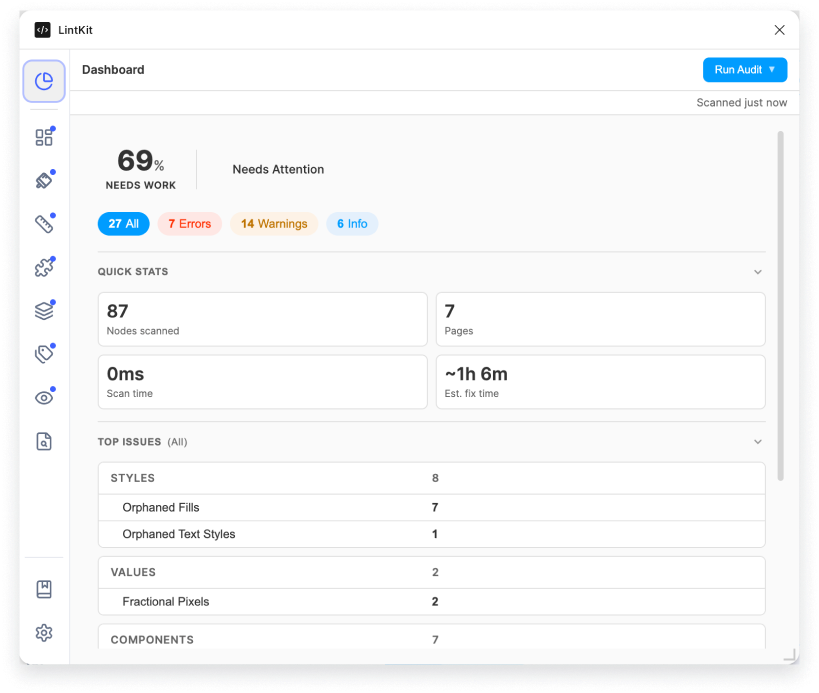
After each scan, see a compliance score showing what percentage of your file meets your design system standards. The dashboard also shows handoff readiness, a severity breakdown, and estimated fix time. Available in both Free and Pro. See Dashboard.
Smart Replace
Smart Replace
When LintKit suggests a matching style for an orphaned fill or stroke, it uses perceptual color matching (Delta E 2000) instead of simple hex comparison. This means it can find the right match even when colors have drifted slightly. Available in both Free and Pro. See Smart Replace.
Bulk Fix
Bulk Fix
Fix all instances of a rule at once instead of one at a time. Bulk Fix processes changes in batches and shows a confirmation dialog for large operations. Pro feature. See Bulk Fix.
Design token integration
Design token integration
Connect Tokens Studio or sync tokens from a GitHub repository. LintKit reads your token definitions and auto-configures spacing, radii, and color rules to match. See Tokens Studio and GitHub.
Export reports
Export reports
Export findings as JSON (for automation), CSV (for spreadsheets), or HTML (for sharing). Reports include compliance scores, finding details, and suggested fixes. Pro feature. See Reports.
Offline and privacy
LintKit runs entirely inside Figma’s plugin sandbox — there is no backend server. All scanning and fix logic happens locally. No design data leaves your machine. Network is only used for:- Integrations — syncing tokens from Tokens Studio or GitHub
- License validation — checking Pro license status (cached for 7 days offline)
Free vs Pro
Both tiers run all 24 rules and show all findings. The free tier limits you to 5 fixes per session — the counter resets each time you close and reopen the plugin. See Pricing for details.